WoodsPortal customer files are stored in the connected HubSpot File Manager. The approved current maximum is 1 GB per file, while total storage follows the connected HubSpot account and current HubSpot terms.
Storage model
- Portal files use HubSpot File Manager.
- Portal files are stored in HubSpot File Manager. Supporting application configuration and metadata may use separate services.
- The available total file storage depends on the connected HubSpot account and HubSpot’s current terms.
File size limit
- The approved current maximum is 1 GB per file.
- Available overall storage also depends on your HubSpot account and its current terms.
- Uploads can also be affected by browser, file-type, processing, and account constraints.
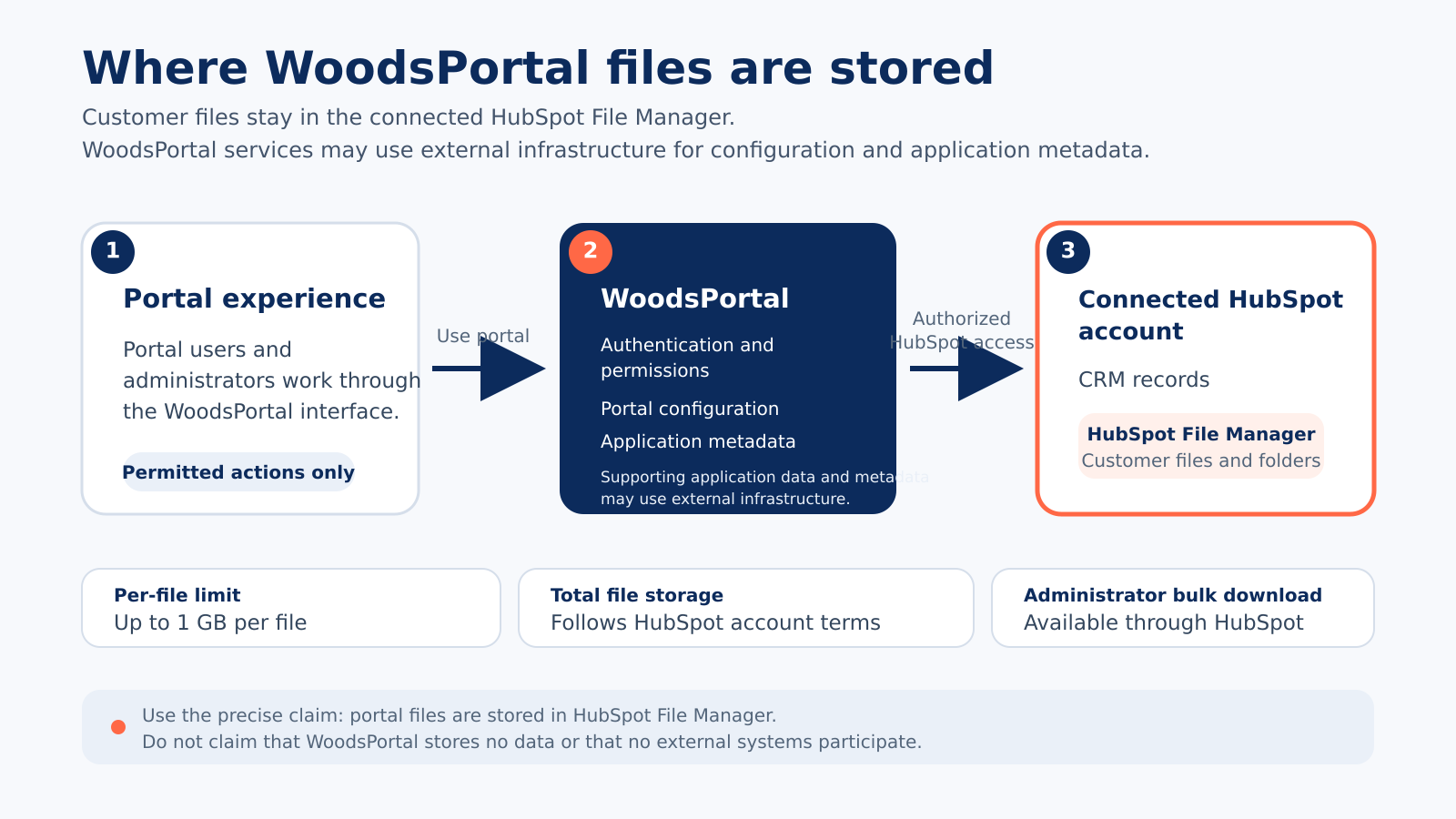
Figure: Portal files are stored in the connected HubSpot File Manager. WoodsPortal configuration, application data, and supporting metadata may use external infrastructure.
Bulk download
- A HubSpot administrator with suitable access can use HubSpot File Manager for bulk download.
- This is an administrator path in HubSpot, not a portal-user bulk download feature.
- Portal users do not currently have a bulk-download control; authorized administrators can use HubSpot File Manager for this task.