Users can review active login sessions and revoke access from devices they no longer use. Administrators can also review login activity with the available portal context.
Review active sessions
- Sign in and open Account settings.
- Open Security, then Active sessions.
- Identify the current session using the This device indicator.
- Review other sessions for device, location, or activity information shown by WoodsPortal.
- Revoke any session you do not recognize or no longer need.
Revoke other sessions
- Use the revoke action on one session to remove that device’s refresh session.
- Use the revoke-other-sessions action when you need to keep the current device signed in and remove the rest.
- After revocation, the affected device must authenticate again.
Review login activity
- Open Account settings, then Security.
- Open Login activity.
- Use the available filters or portal context to review account access.
- Investigate unfamiliar activity and revoke related sessions.
Security guidance
- Revoke unfamiliar sessions immediately and change the password when password compromise is possible.
- Enable an allowed multi-factor method if it is not already configured.
- Do not share session details, backup codes, or authentication tokens.
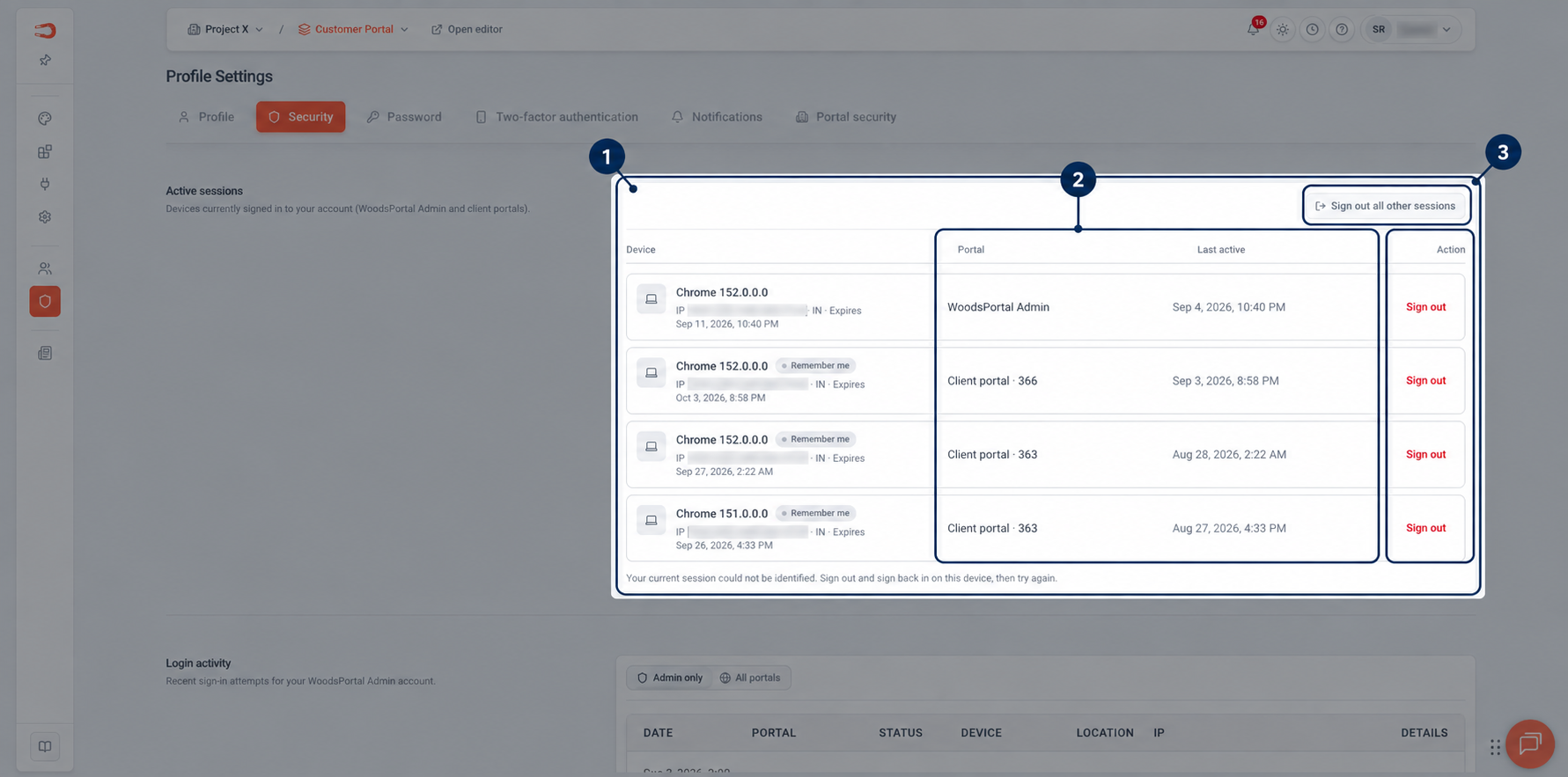
Figure: Active sessions with device, portal, and last-activity information.