Portal users can create permitted HubSpot records through configured forms and update permitted fields on existing records.
Create a record
- Open the permitted object in the customer portal.
- Select the create action.
- Complete the configured fields.
- Choose an available pipeline or stage when the form requires it.
- Submit the form.
- Confirm that the new record appears in the portal and HubSpot.
Edit a record
- Open the record detail page or side-panel preview.
- Select Edit.
- Change only the fields made editable by the administrator.
- Update the pipeline stage when that field is available.
- Save and confirm the new values.
Requirements and limits
- Record creation requires object write permission and an available create form.
- Editing requires object write permission plus Edit access for each property.
- Validation follows the configured field and pipeline rules.
- Record deletion is excluded because a production customer-facing delete interface remains unverified.
Troubleshooting
- If Create is missing, confirm the form and object write permission.
- If a field is read-only, review the property configuration and HubSpot field type.
- If save fails, correct the displayed validation or pipeline requirement and retry.
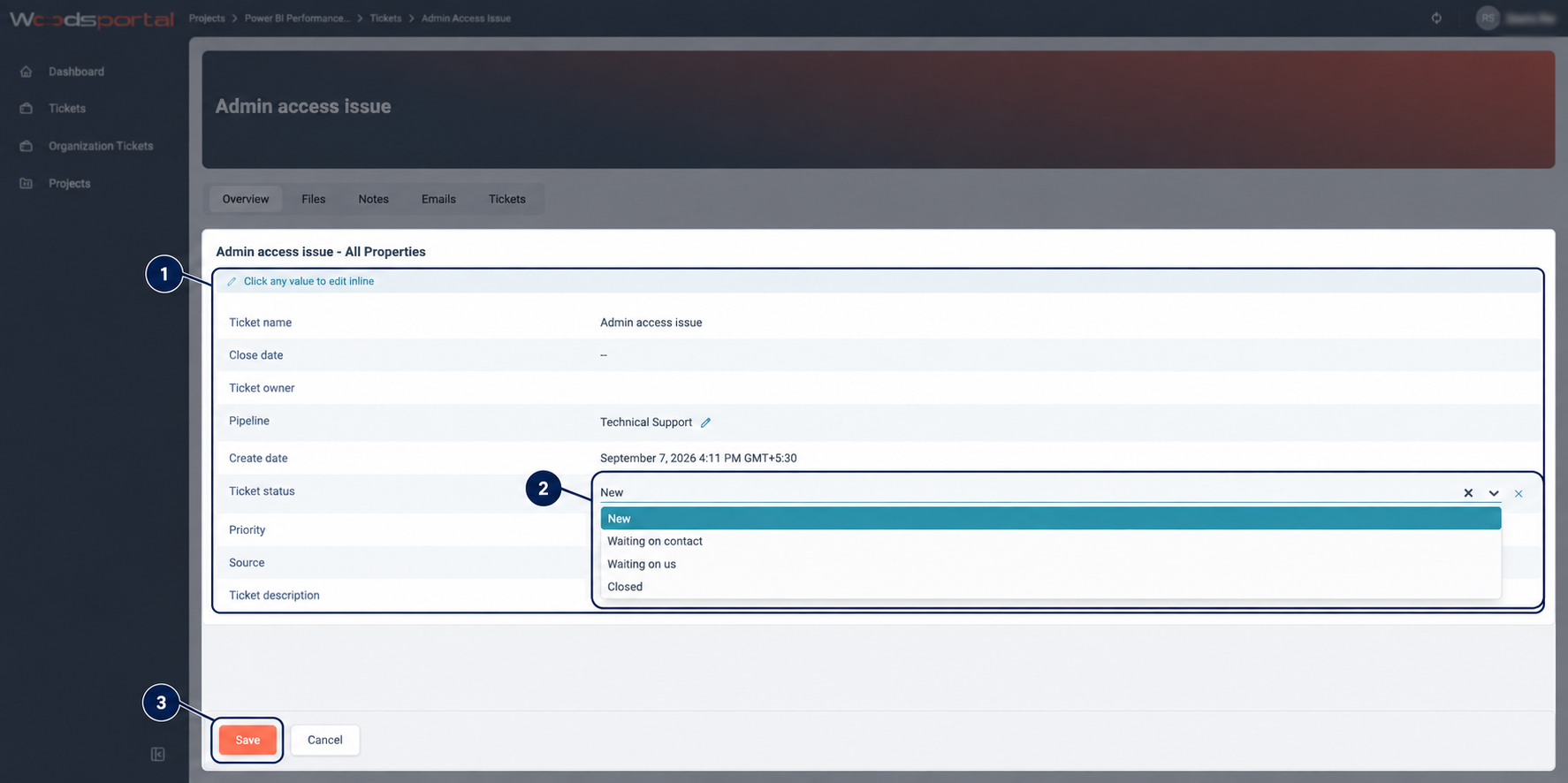
Figure: A customer editing permitted fields directly on a ticket record.