


.png?width=30&height=30&name=security%20(1).png)
A Customer Portal Built for HubSpot — Beyond Tickets
Give your customers a secure login to view, update, and collaborate on HubSpot data — including custom objects, files, and notes — all within your existing HubSpot setup.
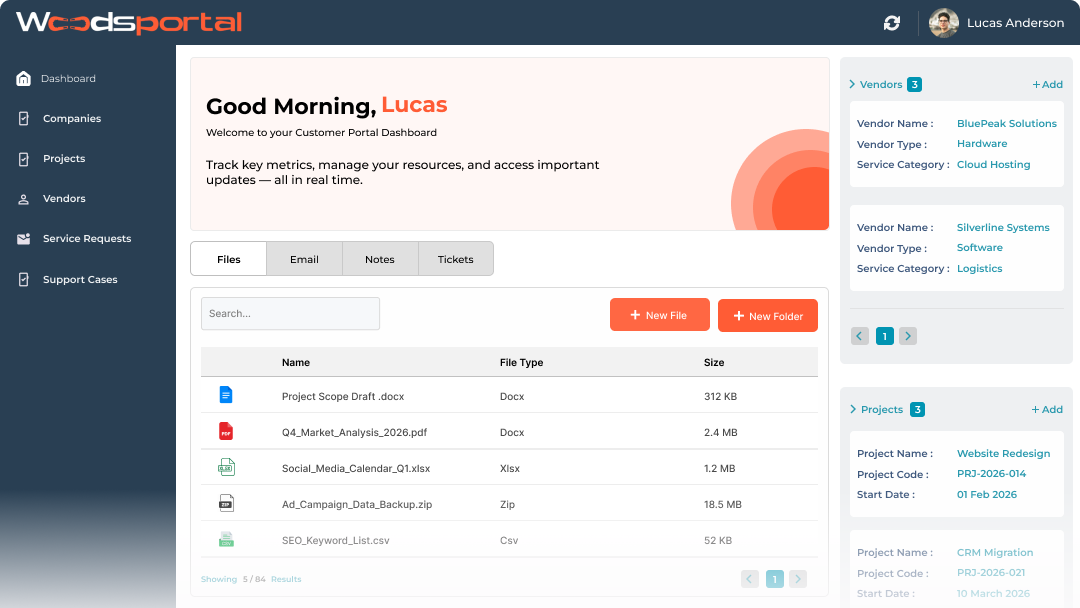
 Custom-Branded UI
 Multi-Object Sharing
 Two-Way Notes
 Secure File Uploads
 Workflow Automation
 Customer Actions
Unique Features
What Your Customers Can Do with WoodsPortal
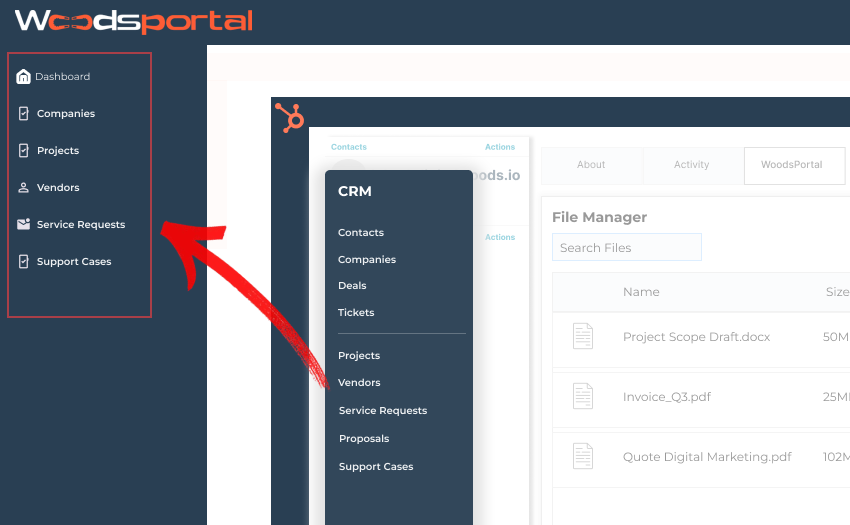
Secure Access to Custom HubSpot Objects
Let customers securely view and update custom objects like projects, assets, or onboarding tasks directly in HubSpot. Go beyond tickets without exposing your CRM or duplicating data.
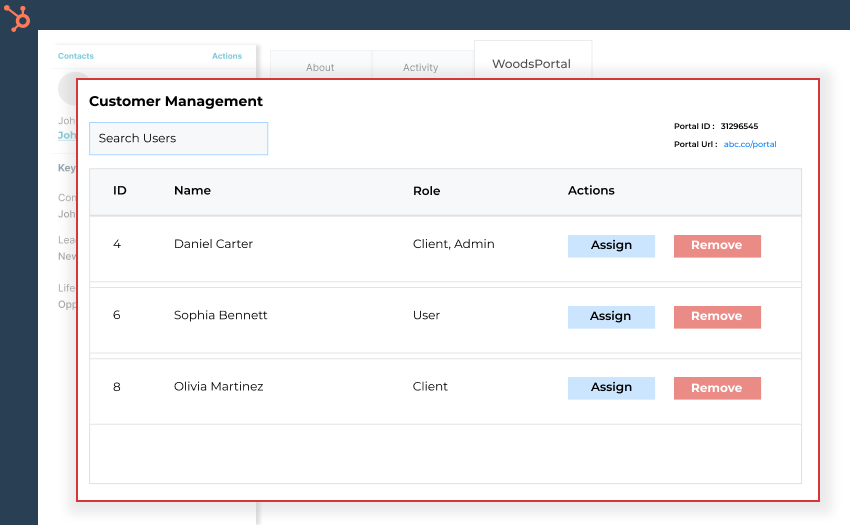
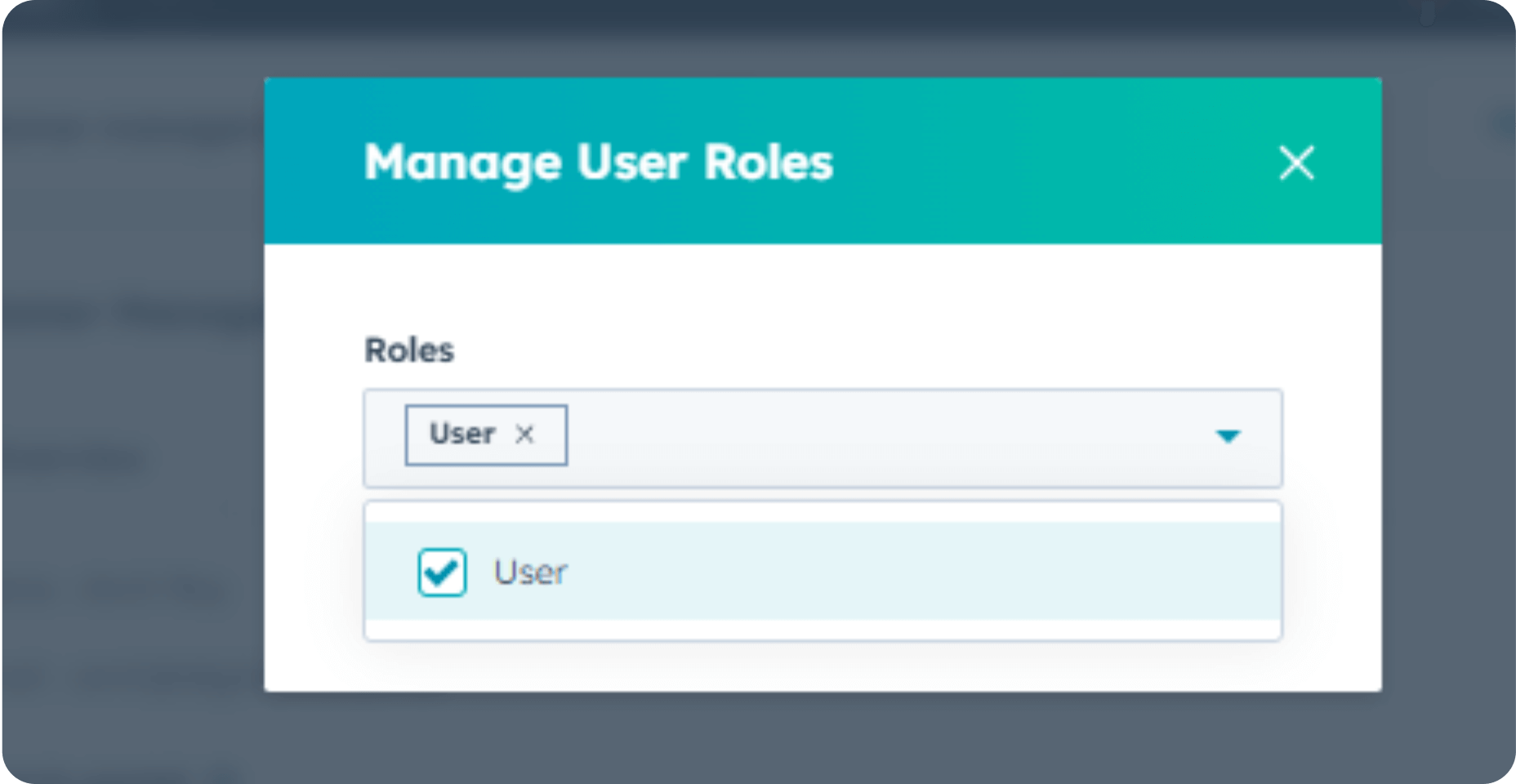
Multi-User, Role-Based Customer Accounts
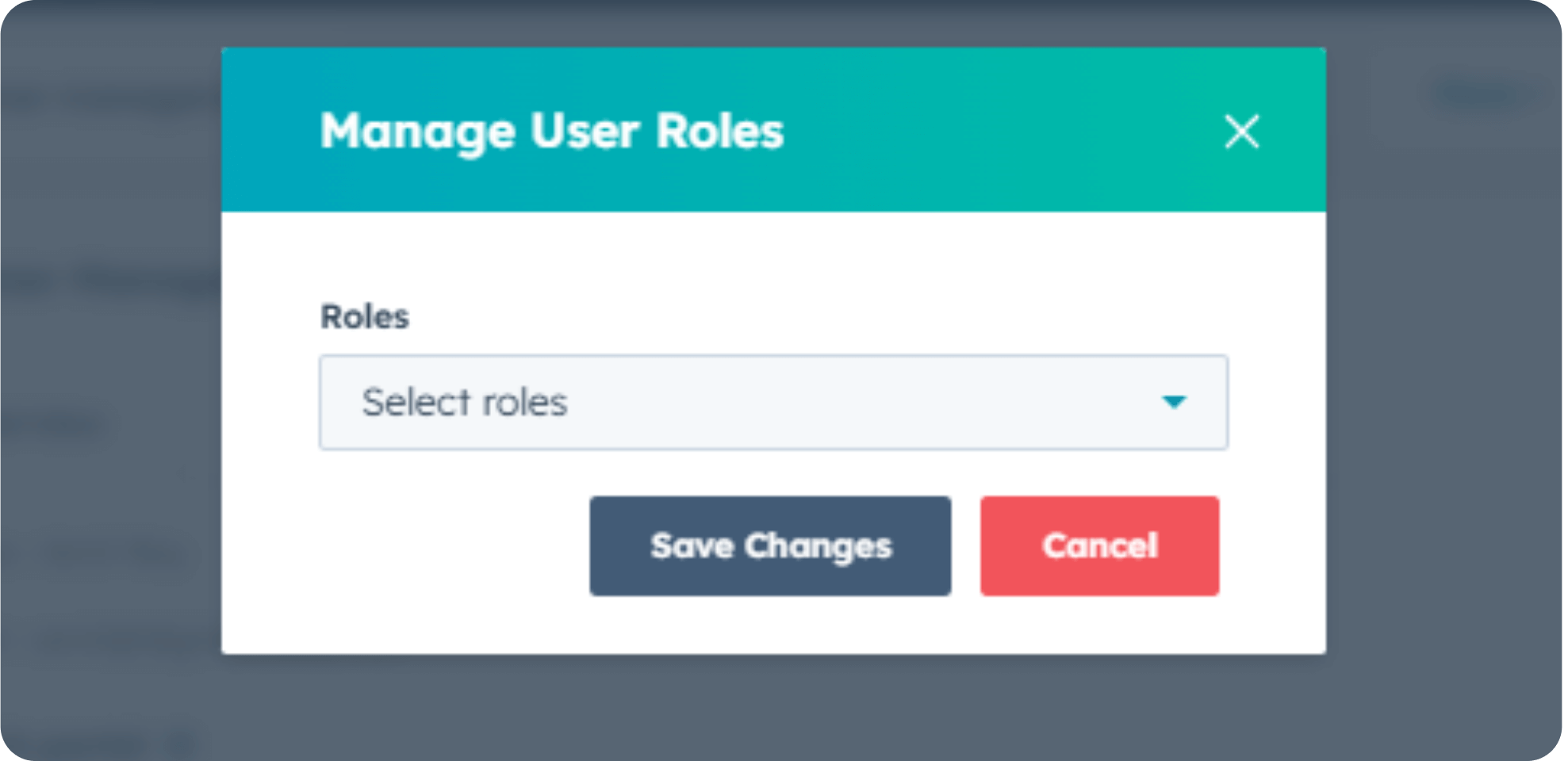
Give multiple users from the same customer account controlled access to the portal. Each user sees only what their role allows, matching real B2B account structures.
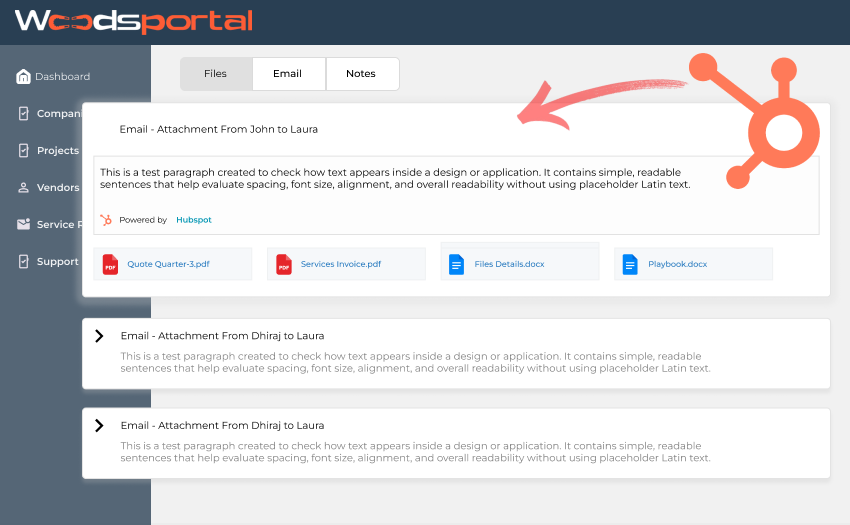
Two-Way Collaboration Inside HubSpot
Customers can add notes and updates directly on HubSpot records. Replace long email threads with structured, trackable collaboration.
Cloud-Based Access
Give customers secure access to HubSpot data, files, and collaboration tools anytime, from anywhere.
.png?width=850&height=525&name=Frame%2021%20(1).png)
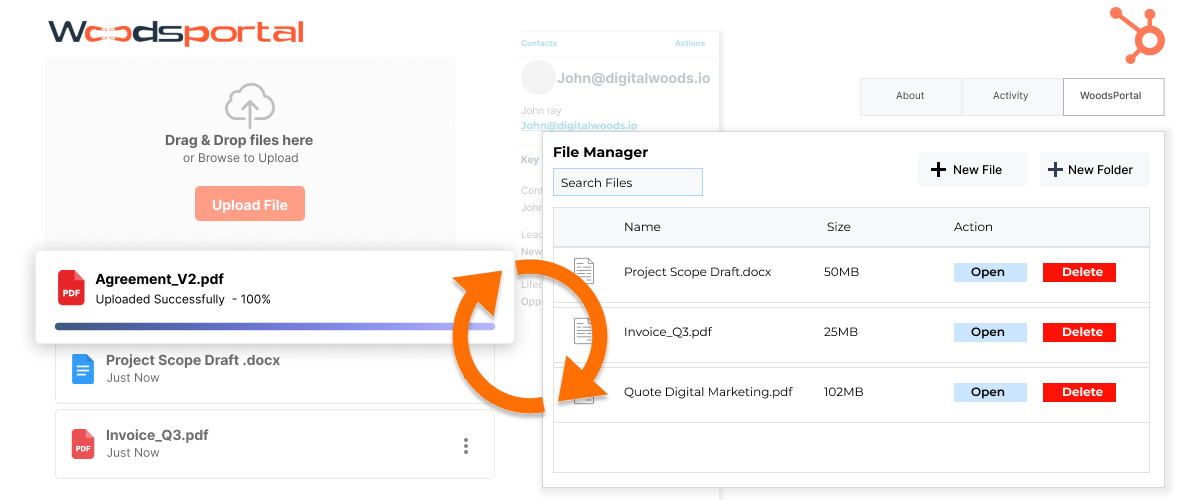
Secure File Sharing Tied to CRM Records
Share contracts, invoices, and documents directly within the portal, linked to specific HubSpot records. Customers always see the latest files in the right context.

WoodsPortal Features
Built for Real Customer Workflows in HubSpot
WoodsPortal is designed for teams who want to give customers secure, self-serve access to HubSpot data without changing how they already work. It fits seamlessly into existing CRM processes and scales from simple portals to complex, multi-entity customer experiences.

 Common Questions
Got Questions About WoodsPortal?
Let's Clear Them Up
Answers to common questions about security, setup, and using HubSpot as a customer portal.
No. WoodsPortal is built directly on HubSpot and does not store CRM data in any external database. All data remains inside your HubSpot account and follows your existing permissions and security rules.
Yes. Customers can securely access custom objects and related records such as projects, assets, onboarding tasks, or contracts based on the associations and permissions you define in HubSpot.
WoodsPortal supports multi-user, multi-entity customer accounts. You can expose data across parent companies, subsidiaries, locations, or projects while controlling visibility using HubSpot associations and role-based access.
Yes. You can assign role-based access so each customer user sees only the data relevant to them, such as finance users accessing invoices while operational users access projects or tickets.
WoodsPortal inherits HubSpot’s security model, including authentication, permissions, and auditability. Since data never leaves HubSpot, compliance and governance are easier to maintain without introducing new systems.
Yes. WoodsPortal can replace external portals, spreadsheets, or shadow CRMs by exposing HubSpot data directly to customers in a controlled and secure way.
You control which objects, records, and actions are available to customers. The portal can be branded and configured to match your workflows without custom development.
Absolutely. WoodsPortal scales from simple ticket and document portals to complex enterprise customer experiences, making it suitable for growing teams and mature organizations alike.
Most teams can connect WoodsPortal and launch a basic portal quickly using their existing HubSpot data. More advanced setups can be rolled out incrementally without disrupting current operations.
Integration
Connect With 200+ Platforms
Connect your favorite tools effortlessly. Our platform plays well with others, creating a unified ecosystem for your business.

Clients Stories
See What Our Clients Are Saying
Read testimonials from our satisfied customers and learn how WoodsPortalhas transformed their project management experience.
What stood out the most was the simplicity without sacrificing power. The onboarding was so smooth that our whole team got up and running within a day our company..

What stood out the most was the simplicity without sacrificing power. The onboarding was so smooth that our whole team got up and running within a day our company..
What stood out the most was the simplicity without sacrificing power. The onboarding was so smooth that our whole team got up and running within a day our company..
What stood out the most was the simplicity without sacrificing power. The onboarding was so smooth that our whole team got up and running within a day our company..
What stood out the most was the simplicity without sacrificing power. The onboarding was so smooth that our whole team got up and running within a day our company..
Latest News
Your Go-To Hub For SaaS Strategies & Updates
Explore expert insights, updates, and strategies to grow your SaaS product and startup success.
Sep 17, 2026
Why Social Icons Are Essential for Growing Your Website’s Reach
Enhance your HubSpot site with our free, customizable, and responsive social icons module. Connect your audience to your social media effortlessly!
Mar 31, 2025
How HubSpot and Megaphone Automated Podcast Management
Cut the copy-paste. We automated podcast updates so our client could focus on content—not tedious tasks. Real-time, effortless, and scalable. See the magic in action!
Mar 31, 2025
How We Transformed St. Thomas Texas into a High-Engagement Digital Hub
Clicks that count, not frustrate. We turned a clunky website into a thriving digital space—faster, smarter, and built for engagement. Find out how!