WoodsPortal can provide a record-specific My Drive and a portal-wide Shared Drive. Administrators control which drives appear and whether users may upload files or create folders.
Understand the drives
- My Drive is tied to the current CRM record and exposes that record’s permitted files and folders.
- Shared Drive exposes a common folder tree to portal users.
- Shared Drive content is portal-wide. Company-specific file structures should use an appropriate record-drive design and workflow.
Configure drive availability
- Sign in to https://app.woodsportal.com and select the correct portal.
- Open the portal file settings.
- Enable or disable My Drive independently.
- Enable or disable Shared Drive independently.
- Allow or block upload and new-folder actions for each supported drive context.
- Save and test the configuration with the intended user role.
Browse files
- Open the Files area or the Files tab for a record.
- Choose My Drive or Shared Drive when both are available.
- Switch among list, grid, and expandable tree views.
- Use breadcrumbs to move through nested folders.
- Open a file to preview or access permitted actions.
Troubleshooting
- If a drive is missing, confirm that it is enabled for the active portal.
- If create actions are missing, review the drive-specific setting and the user’s file or folder permissions.
- If content appears in the wrong context, verify whether it belongs in the record-specific drive or the portal-wide Shared Drive.
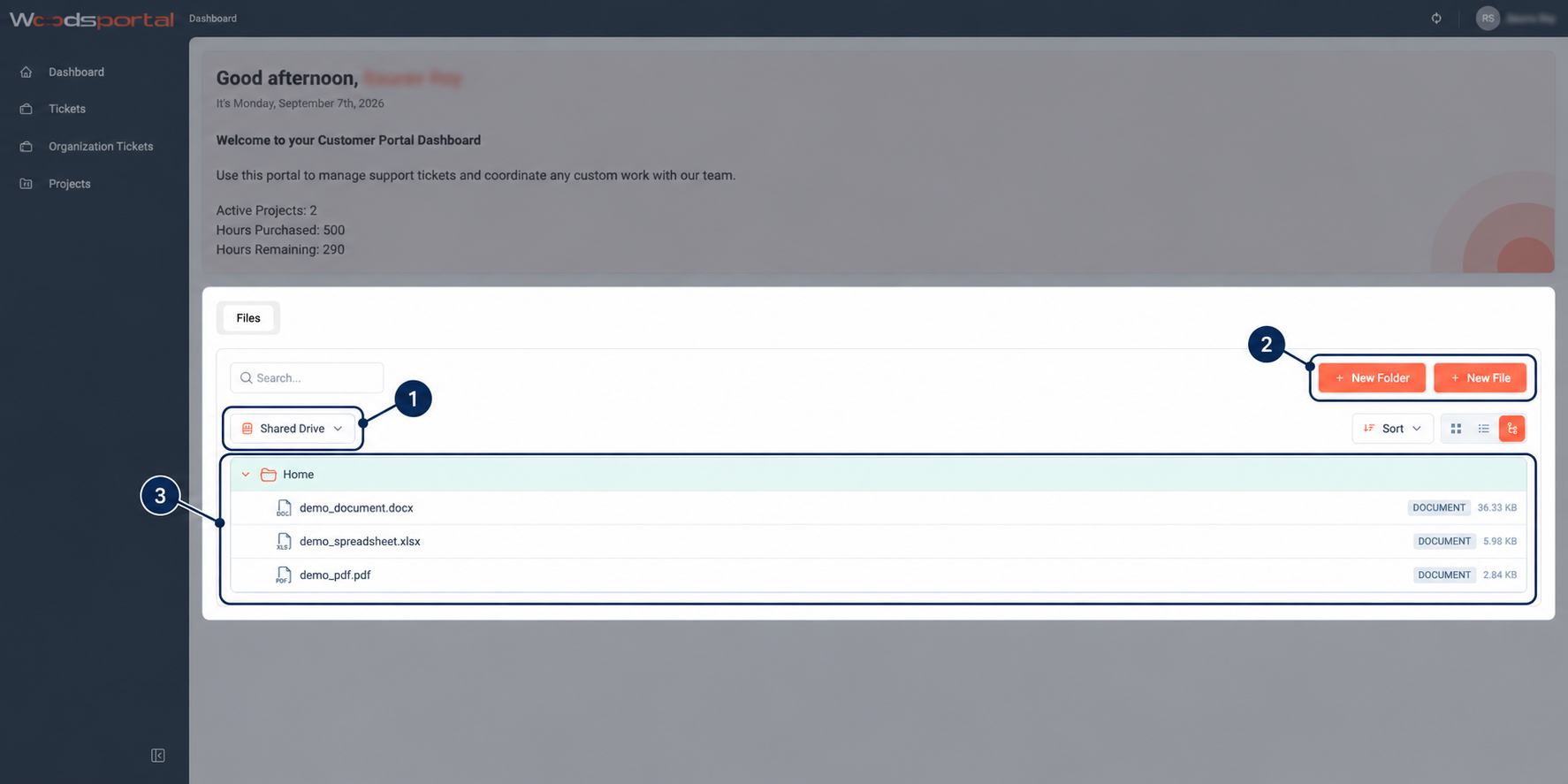
Figure: Customer-facing Shared Drive with nested folders in tree view.