The administrator app provides contextual product tours, setup resources, and account settings for profile, password, MFA, sessions, login activity, notifications, and authorized portal security.
Use contextual help
- Open a supported object configuration or administration page.
- Open the help menu.
- Start the available product tour, setup video, or documentation resource.
- Follow, skip, or complete the tour.
- Use the global opt-out only when the user no longer wants guided tours.
Manage account settings
- Edit the administrator profile.
- Change a known password or use the separate password recovery flow.
- Manage authenticator, backup-code, or passkey enrollment where available.
- Review and revoke active sessions.
- Review login activity.
- Configure notification preferences.
- Manage portal security only when the administrator has the required permission.
Behavior
- Tour completion is remembered locally.
- A global tour opt-out is backed by the application configuration.
- Security-sensitive settings can require recent authentication or elevated permissions.
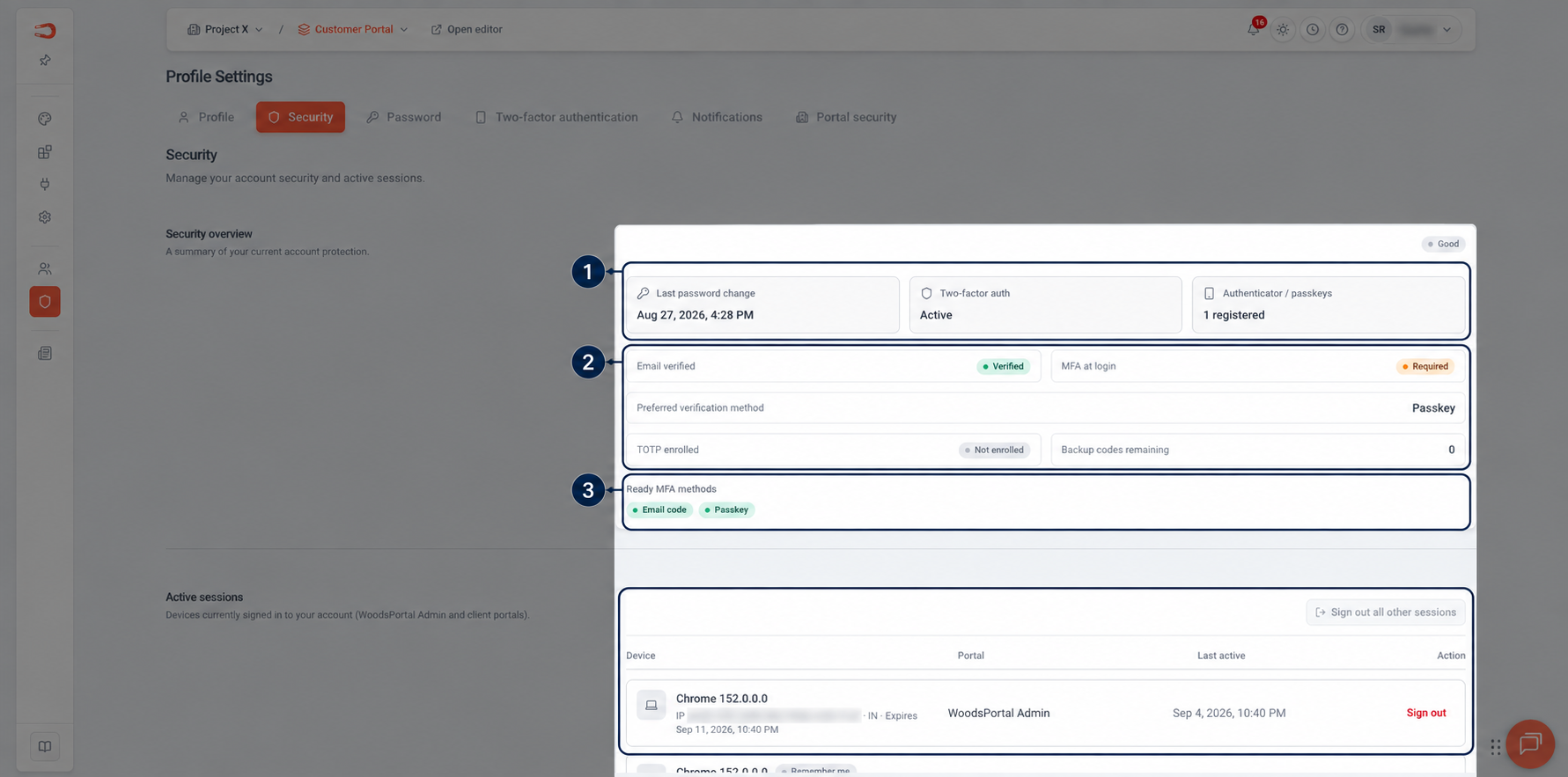
Figure: Security overview showing verification, authentication methods, and active-session status.