
It's not good enough to offer some basic gated content for building any sort of membership platform. Instead, today's members expect seamless communication, convenient ways to access resources, personalized experiences, and responsive support. The right infrastructure for business owners enables such scale with no operational chaos in place.
That's where the HubSpot customer portal comes in. It's a centralized, organized space where businesses can manage customer interactions, support requests, and member engagement; in other words, building a scalable foundation for growth.
In this blog, we show how HubSpot's customer portal helps you build and manage a scalable membership platform.
Table of Contents
- What Is HubSpot Customer Portal?
- Why Are Business Owners Investing in Membership Portals?
- How HubSpot Customer Portal Supports a Scalable Membership Platform?
- What Does HubSpot Customer Portal Get Lack Of?
- What Are The Key Benefits We (WoodsPortal) Provide To You?
- Conclusion: Turning Your Membership Vision Into a Scalable System
Click here to get our HubSpot Customer Portal
1. What Is HubSpot Customer Portal?
The customer portal offered by HubSpot is a secure and self-service platform in which customers can sign up and log in to see their interaction with your business.
Usually, it is integrated with the Service Hub and allows customers to:
- Submit and track support tickets
- View previous conversations
- Access knowledge base articles
- Communicate directly with your support team
For membership-based businesses, this portal will be more than just a support platform; it will be a full-featured member site where members can manage their accounts, troubleshoot product issues, and generally interact with your business.
Thus, since it is part of the larger HubSpot CRM system, all interactions happen automatically, with journeys being fully tracked and linked to individual records.
2. Why Are Business Owners Investing in Membership Portals?
Membership businesses are thriving, especially for industries in online education, coaching, software, fitness, consulting, or even communities.
Growth, however, comes with difficulties.
Many business owners are investing in membership sites because:
A. Members Expect Self-Service:
Nowadays, customers prefer to resolve problems without assistance before seeking help. This requires a portal.
B. Scaling requires automation:
Manually handling emails, spreadsheets, and queries may become impractical as membership numbers increase. The use of a system provides a solution.
C. Retention Is the New Growth Strategy:
Recurring revenue models place a great deal of emphasis on the aspect of member retention. When the experience is smooth and well-organized for the member, they’re more likely to stick around.
D. Data-Driven Decisions Matter:
A membership portal within your CRM enables you to track engagement, support trends, and member behaviour, helping drive smarter business decisions.
In brief, a portal is not an artifact of convenience but an enabler of strategic growth.
3. How HubSpot Customer Portal Supports a Scalable Membership Platform?
The real power of the HubSpot Customer Portal lies in its ability to scale alongside your business.
A. Centralized Member Communication:
Instead of scattered inboxes and disconnected tools, all customer communications flow into HubSpot. Members can log in to see:
- Open and closed tickets
- Message history
- Updates from your team
This minimizes confusion and allows for more transparency as your base of membership continues to grow.
B. Automation for Efficiency:
HubSpot lets you automate:
- Ticket Routing
- Follow-up emails
- Status updates
- Member Onboarding Workflows
Automation reduces the manual load and makes it possible to reach more members without increasing the staff accordingly.
C. Seamless CRM Integration:
As the portal integrates directly with HubSpot CRM, every engagement is automatically logged against the member's profile. This means:
- Your team sees everything in each other's history
- You can segment members based on behaviour
- Personalized communication does not pose much of a problem
This is the centralized data that prevents operational bottlenecks as your platform grows.
D. Knowledge Base Integration:
The members will also be able to access the help articles directly through the portal. This will help cut down unnecessary support requests.
The end result? Faster resolutions, lower support costs, and enhanced member satisfaction.
E. Customizable Experience:
Besides, the portal experience is customizable to suit your brand and membership strategy. This is important, especially when you're dealing with different membership levels.
HubSpot is flexible in this case - you can manage different levels of membership, support, and access to premium information.
4. What Does HubSpot Customer Portal Get Lack Of?
The Customer Portal by HubSpot (a part of Service Hub) is a good tool for basic ticket visibility and communication, but it has some serious limitations, especially when it comes to scaling.
The following are the key areas where it usually falls short:
A. Limited Deep Customization:
- Limited layout customization (compared to fully custom portals)
- Branding options are basic unless you create a custom CMS front-end
- Limited capacity to re-skin the UX without developer assistance
B. No Native Advanced Role & Permission Controls:
- Portal access is usually contact-level
- No sophisticated multi-level permission systems
- Limited control over who can view specific ticket types or data fields
C. Limited Document & File Management:
- Not designed as a document collaboration platform
- No file repository organized by customer
- No advanced versioning, approval, or document workflows
D. Weak Project / Account Management Features:
- Ticket-centric
- No native milestone support
- No task visibility (unless custom-developed)
- No project or roadmap view
E. Limited Multi-Product/Subscription Views:
- No native subscription views available
- Difficult to show customer usage data without extensive customization
- No native billing or invoice views available
F. Reporting Visibility Is Basic:
- Customers cannot view advanced analytics dashboards
- No advanced customer reporting available
- Primarily focused on ticket history views
G. Limited Integration Display:
Although HubSpot has good internal integration, customer tool data is not easily displayed in the portal. This requires APIs and custom development to display third-party data visually.
H. Scalability for Enterprise Use Cases:
- No advanced workflow approvals available
- Limited collaboration tools
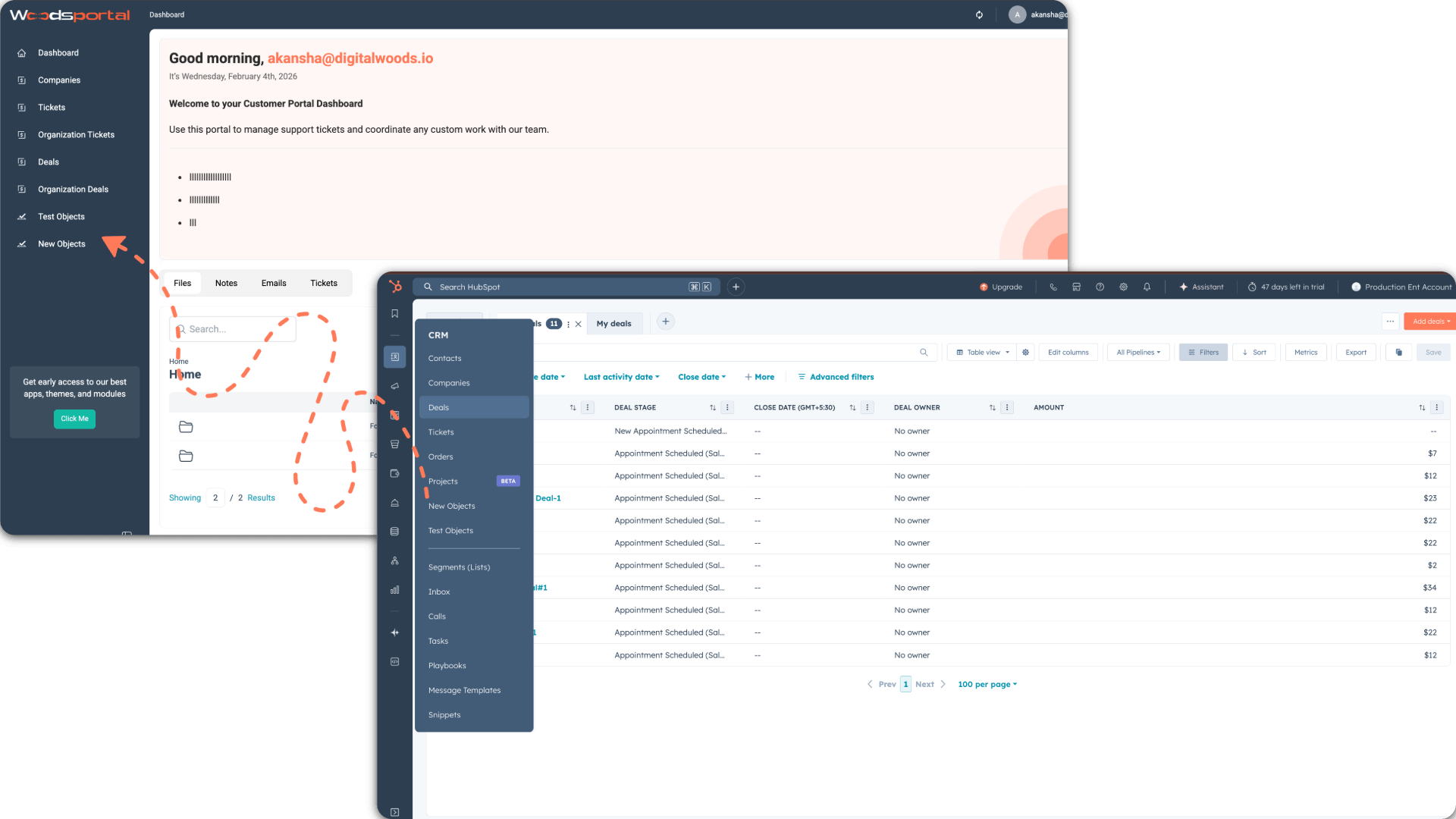
5. What Are The Key Benefits We (WoodsPortal) Provide To You?
A. Advanced Customer Access & Permission Control:
(i) True Multi-Role Account Structure:
WoodsPortal enables organized role structures within each customer account:
- Account Owner
- Admin
- Finance
- Project Manager
- Viewer
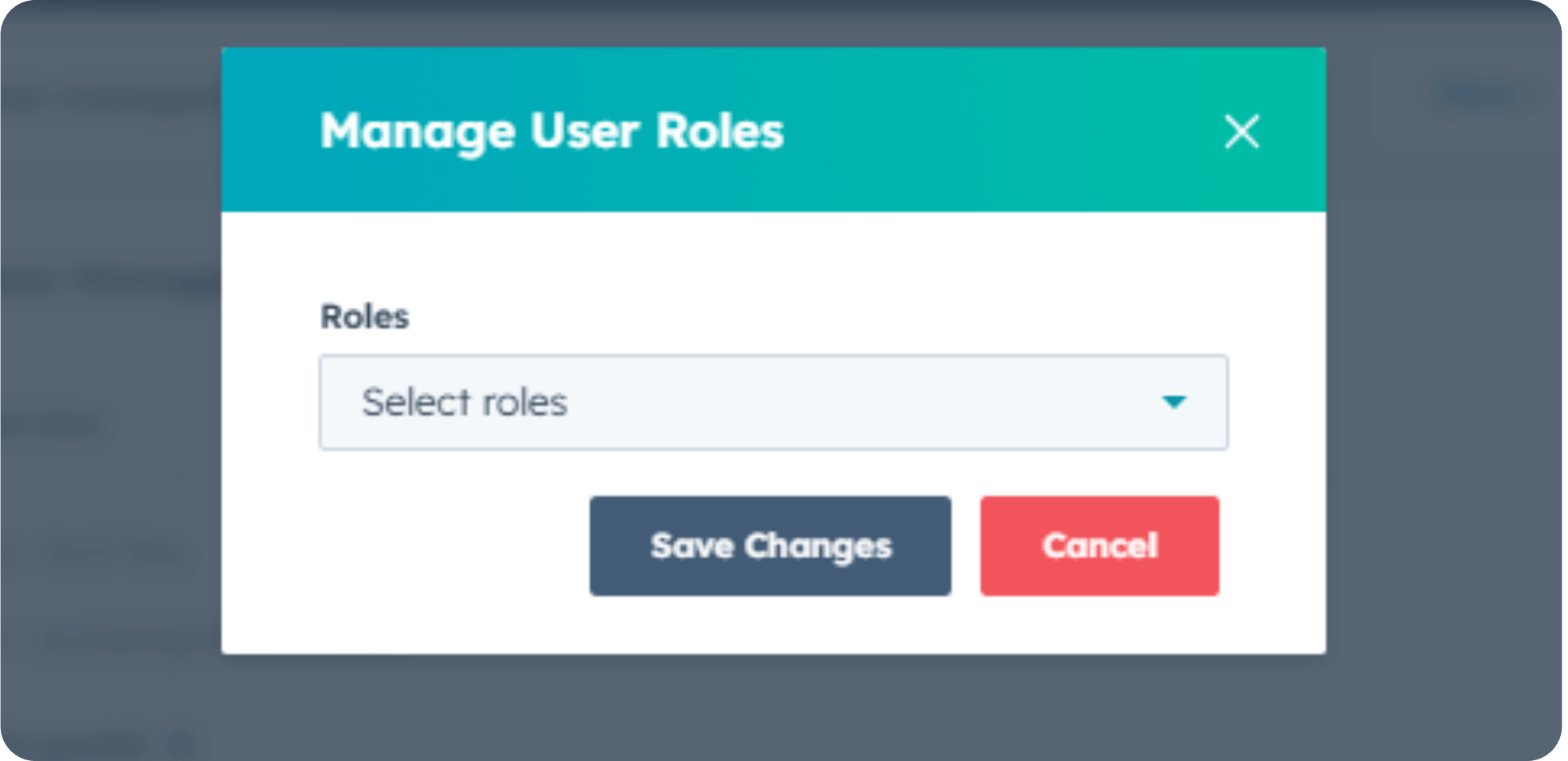
Each role has complex, customizable permission settings, not just contact-level permissioning.
(ii) Field-Level & Object-Level Permissions:
- Control view/edit access to individual ticket fields
- Lock down access by pipeline, ticket type, or product line
- Limit access to designated projects or service categories
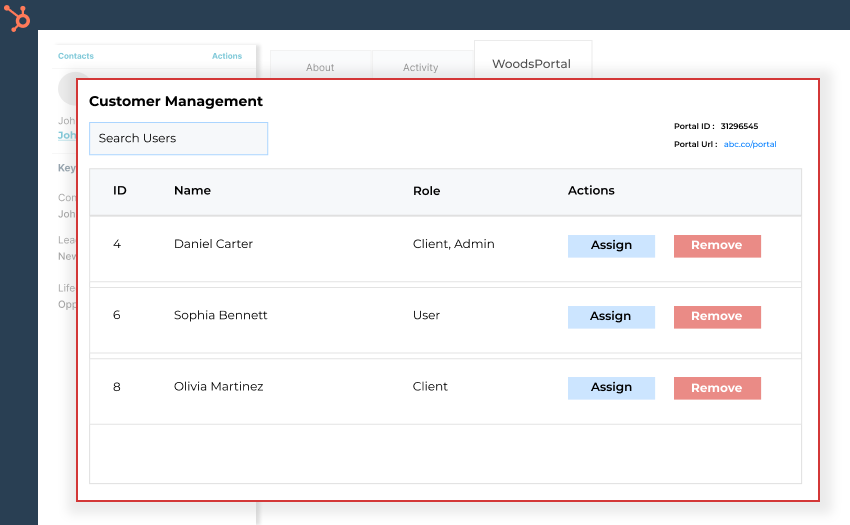
(iii) Company-Based Access Governance:
- Company-level permission management
- Client Admins can self-manage their users
- Auto-provisioning linked to HubSpot company data
This improves scalability and support efficiency.
(iv) Secure Cross-Team Segmentation:
- Segregated access for subsidiaries or business units
- Isolate confidential tickets (e.g., billing vs support)
- Managed shared access across related companies
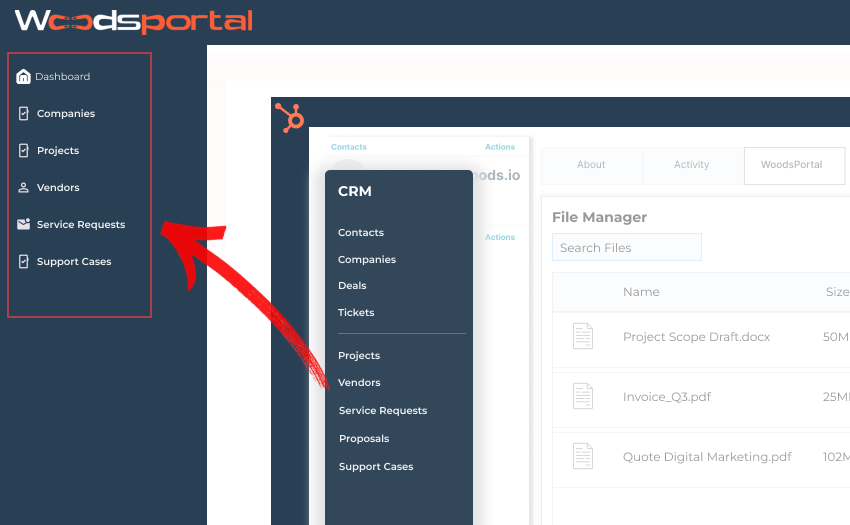
B. Structured File & Document Management:
(i) Personal Client File Library:
- Structured file organization
- Categorized document views (Contracts, Reports, Deliverables, Invoices)
- Search and filter capabilities
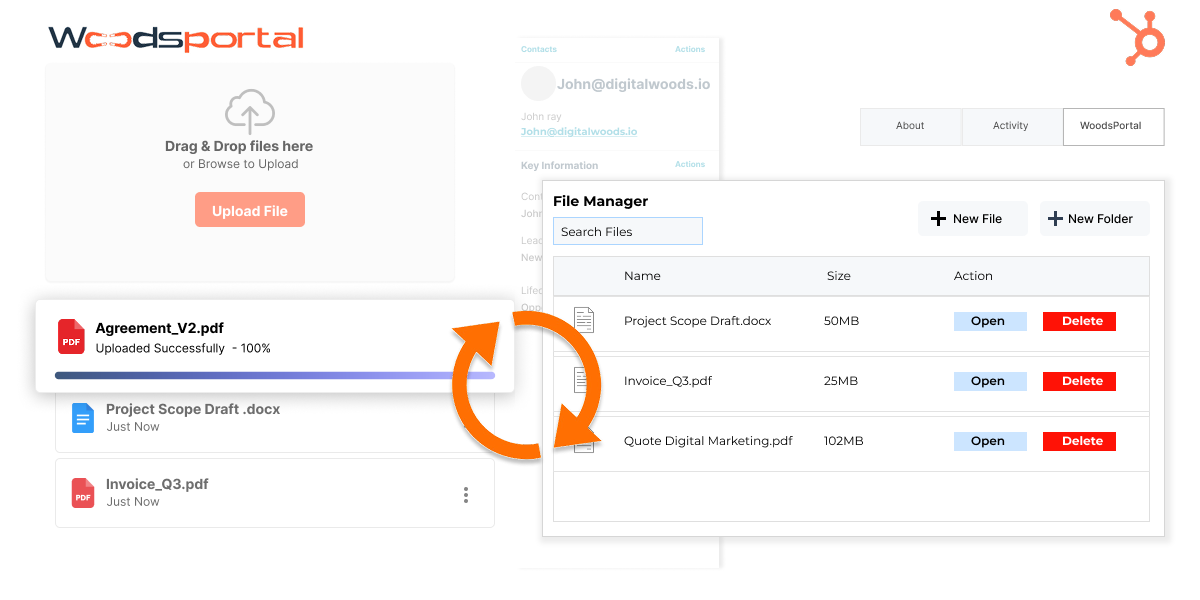
More than just ticket attachments.
(ii) Role-Based File Access:
- Limit documents by role
- Secure sensitive files (e.g., contracts or financial reports)
- Personalized folders for designated client stakeholders
(iii) Version Control & Document History:
- File versioning
- Upload history and activity tracking
- Prevent accidental file overwrites
(iv) External Sharing Security Controls:
- Expiring file links
- Download controls
- Activity tracking (who viewed what)
6. Conclusion: Turning Your Membership Vision Into a Scalable System
While establishing a successful membership site is definitely all about members, it is also about handling members effectively.
The HubSpot customer portal facilitates the foundation, automation, and visibility required to change a growing membership business into a scalable and sustainable system.
As such, it allows business owners to create exceptional member experiences without business operational challenges.
Thus, when your business vision includes a high rate of recurring revenue and customer retention rates, along with scalability, using the HubSpot customer portal is a way to execute your business strategy and realize your business vision.